Thursday, October 10, 2013

Get fabulous fall fashions for less with these iPhone apps

Fashionable style these days is all about knowing how to mix what you have, adding trendy pieces occasionally, and not breaking the bank while making your (what looks like) effortless street-style happen. It makes my head hurt just thinking about it. To keep up that fashionable appearance while on a budget, peruse these iPhone apps meant for savvy and stylish fall shoppers on the go.

Poshmark

Make your fashionable mark this fall for less with the free Poshmark app for iPhone. It’s a savvy way to shop your social media friends’ closets. It’s basically a fashionable eBay in an iPhone app just for fashionable friends. Post gently used and still fashionable pieces for your friends to make an offer on and then, bid on their cool stuff you have been eyeing for months! Investing a little more in shoes and handbags usually begets you a better selling price later so keep that in mind when shopping for new fall pieces. My shopping motto: How much can I resell it for in a year?

Fashion Kaleidoscope

The free Fashion Kaleidoscope iPhone app is your answer to the question: what in the world am I going to wear today? This seriously fashionable app is filled with everyday style inspiration you can imitate in real life from actual people around the globe. From hipsters in Portland to café girls in Paris, find the style you most admire and create a fall fashion statement that is all your own. Then, purchase your favorite pieces via links in this savvy style app. Finally, spread your newly-minted style around the globe by sharing pictures with the Kaleidoscope app.

PINK Nation

We all have our “I just want to wear sweats” moments. And, there is one shopping task I look forward to more than anything in fall: the annual new sweats and yoga pants order! With the free PINK Nation app for iPhone you can easily shop for your new fall lounge apparel from Victoria’s Secrets PINK line, which includes college and NFL apparel perfect for at-home tailgating on the couch. The crafty app is also filled with fun games and deals for new duds.

Topshop US

Looking to stock up on this season’s trends for less than typical department store prices? The best place for trendy but still quality fashion shopping these days is Topshop. If you don’t have one of these lovely stores in your U.S. town yet, never fear, you can shop on your iPhone with the free Topshop US app. You can view Topshop’s blog feed and Tumblr with this chic app so you have even more inspiration to build a one-of-kind fall wardrobe for the fraction of the price of a designer handbag. Think lace dresses, faux leather, and printed pants for fall standout pieces.

Beautylish

With the innovations in makeup and nail design these days, you can make a basic and old little black dress really pop like new by simply buying new eyeliner. Learn some tricks of the trade this fall with the free Beautylish app for iPhone. This pretty app will help you brush up on your beauty skills to spruce up your fall fashions without maxing out your credit card.

Get more details here

Wednesday, October 09, 2013

Five iPhone apps to help ace your next job interview

Your iPhone rings and you already have butterflies in your stomach. You got the interview! But now what? Hit the iTunes App Store to locate the best apps to help you prepare for your next series of interviews starting with these suggestions, right here on Appolicious.

Business Secrets ($2.99)

Showing up at an interview confident that you are a well-rounded business expert is a must for any industry. Check out the tips in the Business Secrets app to start off on the right path in your interview and even beyond that first meeting. There are 50 tips each for a myriad of business categories including interviews, leadership, career management and more. It’s the perfect business app to help you get your foot in the door and keep it there.

CNN (Free)

The last thing you want to do is walk into an interview unaware of the current state of the economy and world at large. Make a habit of reading the free CNN app for iPhone every day so that you are well prepared for any side conversations on everyday topics. Whether you are in the tech, finance or entertainment industry, the CNN app has reports you can use including breaking news alerts you don’t want to miss, especially right before a big interview.

iFlatter – Compliment Yourself ($0.99)

A strategically placed and appropriate compliment can go a long way during an interview. Resist the urge to brown-nose right off the bat and save your flattery for the perfect moment or your final goodbye. Do you have trouble using compliments? Check out the iFlatter – Compliment Yourself iPhone app. It even has a special section for “work” compliments. A nice and sincere, “I like that tie” or “That shirt makes your eyes pop” can be an easy way to set yourself apart from the mass of interviewees.

Monster.com Interviews by Monster Worldwide (Free)

If you don’t have a lot of interviewing experience under your belt and need more than a little flattery to get you the job, then the free Monster.com Interviews app for iPhone is where you should start your preparation. This iPhone app is your interview coach with step-by-step instructions on how to prep for and ace your next series of interviews. It even includes guidance on how to navigate that oh-so important post-interview follow-up communication that is necessary to your job-acquiring success. Another fun feature allows you to record yourself answering tricky questions so you can prepare for even the thorniest question. Did you get the job offer but not the salary you wanted? This app even has income-negotiating advice.

Jobjuice Marketing ($9.99)

Are you an MBA pursuing a career in marketing and business? In these professions, interview questions tend to veer from the “What is your greatest strength?” to more complicated questions aimed to calculate your creative potential in a few minutes or less. Jobjuice Marketing is a dynamic app that helps you prepare for a higher level of job interview. It offers more than 50 cards filled with marketing concepts and frameworks. This smart app was developed by Wharton MBAs so you will be in fabulous company when you use it.

Tuesday, October 08, 2013

AT&T U-verse App for iPhone Now Lets You Watch Live TV

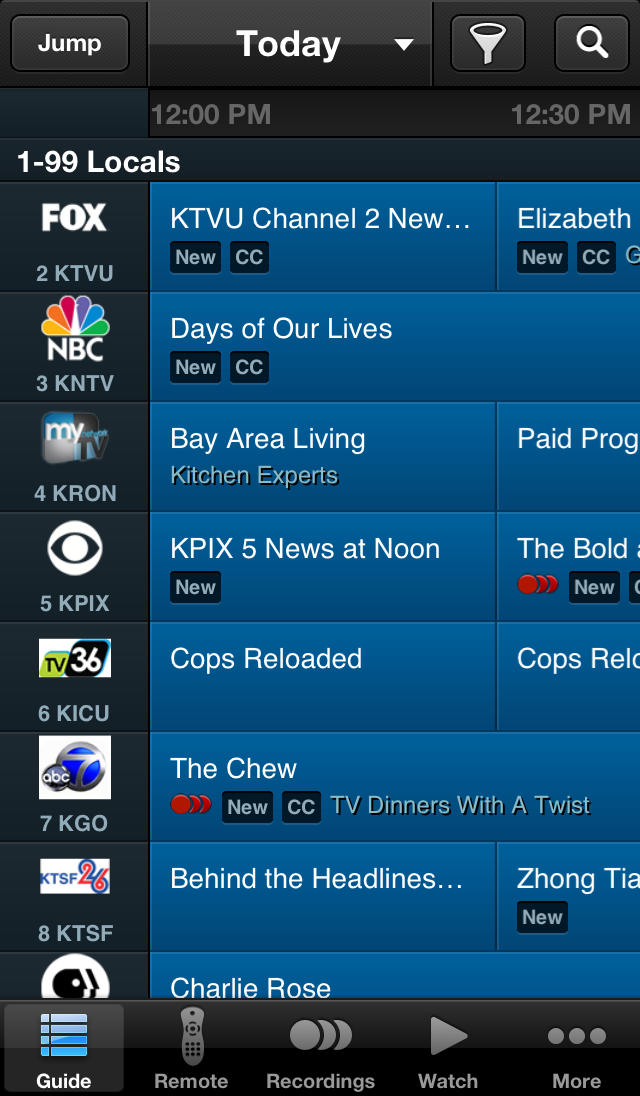
Following a recent update to its iPad app, the AT&T U-verse iPhone app now lets you watch live TV. It also receives numerous updates including new and improved scrollable Guide interaction, updated remote control screens, retina graphics, and more.

Take the U-verse experience with you; schedule your DVR recordings and watch hit clips, shows and movies on your iPhone with the U-verse app from AT&T. The U-verse app gives you access to your AT&T U-verse DVR at home to schedule and manage recordings, view and search within your channel guide, and set favorite shows & channels. U-verse customers can also download or stream popular shows from the mobile library to watch on their iPhone.

Browse TV

Browse or search your personal TV programming guide to find your favorite shows.
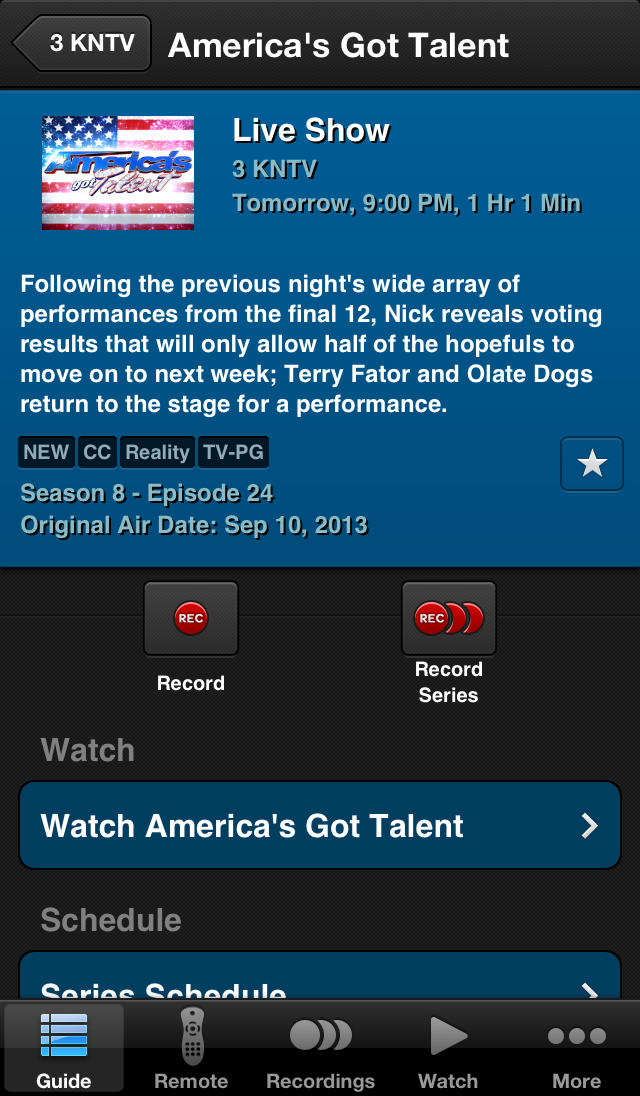
Schedule one time or series recordings on your DVR at home.

Set your favorite channels to bring them to the top of your guide view and tag favorite shows for quick access.

Remote Control

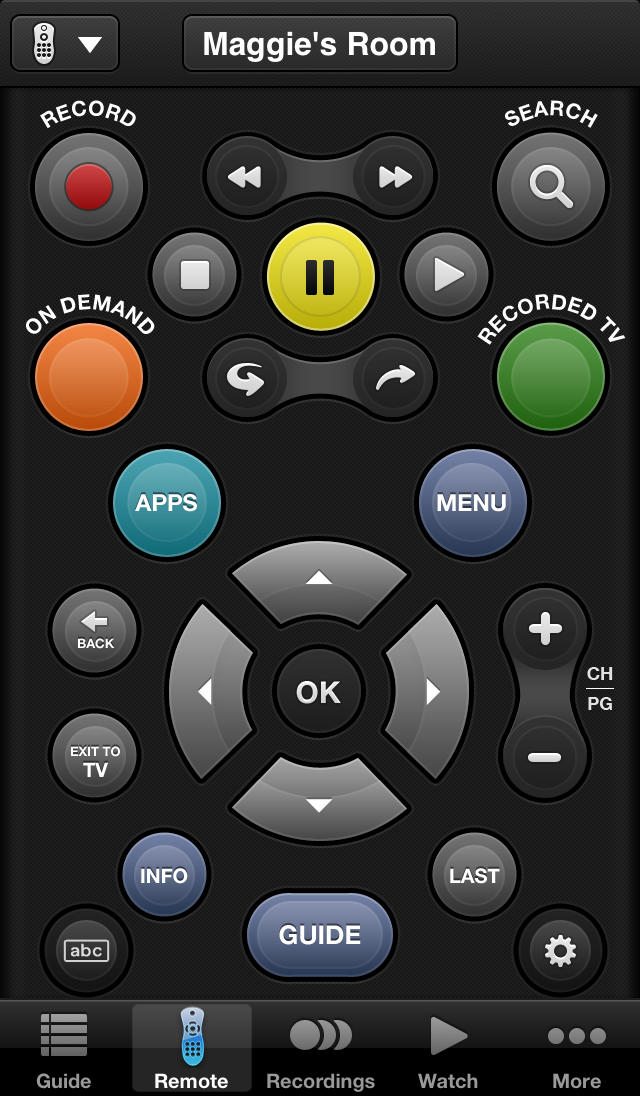
Control your home TV receivers with the remote control feature. *AT&T U-verse High Speed Internet Account required.

Recordings

Easily view and edit your scheduled and recorded shows on your U-verse DVR at home.

Watch

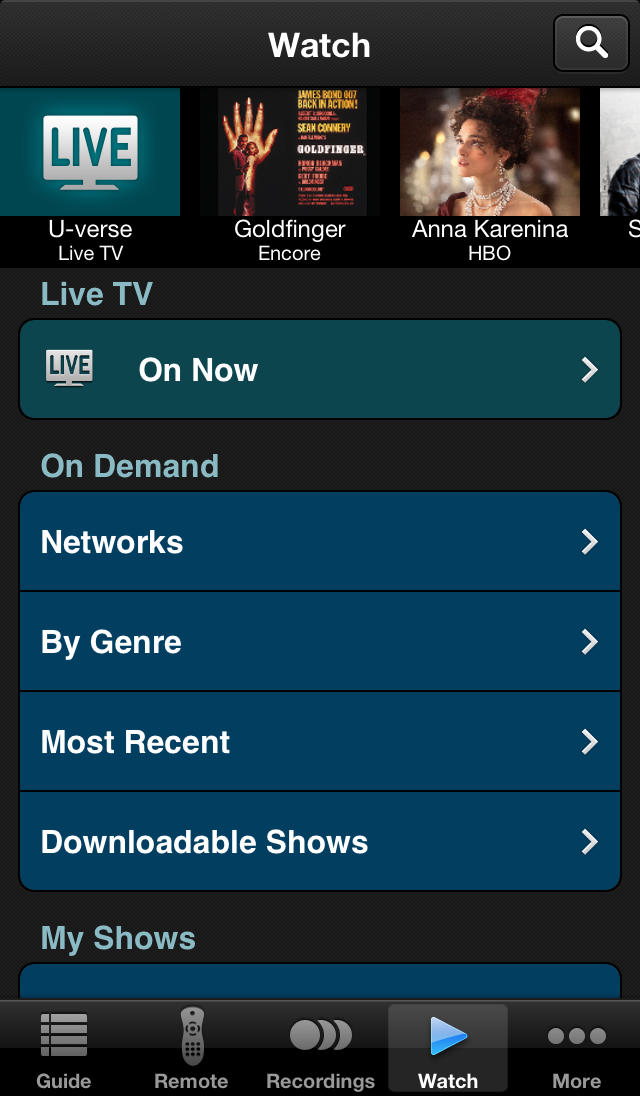
Download or stream select shows available in the U-verse mobile library your iPhone for viewing on the go. 

More

See U-verse feature highlights and available apps, configure settings, view the user guide and more.

We don't yet have the rights to make shows available on all devices, or to make more shows available for download and watch. We're working hard to continue to gain rights for mobile access.

U-verse Mobile can be accessed via cellular or Wi-Fi connectivity.

This version of the U-verse Mobile app is compatible iPhone 3GS and newer and iPod touch 3rd generation and newer. It is also compatible with the iPad, however, the download or stream and watch feature is not available on the iPad due to content rights limitations.

What's New In This Version:

New in version 3.0.1:

- Watch Live TV on your iPhone!

- Scroll through the Live Channel Guide to view channels that are available in your U-verse network or those that are available when you’re away from home

- New and Improved ratings-based parental control settings, with channel locking and PIN override, providing primary account holder greater control over master account and all sub-accounts

- New and improved scrollable Guide interaction

- Updated remote control screens, now with sound settings, for improved usability

- Enhanced User Interface with new colors, fonts and layout changes for a brand new look and feel to all screens

- All retina graphics

- Improved search performance

- Launch the myAT&T app directly from within the AT&T U-verse app

- Improved image loading

- Performance enhancements and bug fixes

You can download U-verse from the App Store for free.

Monday, October 07, 2013

Apple OS X 10.9 Mavericks hits Gold Master status

Apple has released the Gold Master of its latest OS X operating system, OS X 10.9 Mavericks, to developers ahead of its impending general availability.

Designed as an incremental upgrade from OS X 10.8 Mountain Lion, OS X 10.9 promises some serious under-the-hood improvements including a redesigned kernel that is claimed to improve multi-tasking performance while simultaneously increasing battery life. This is boosted further by an 'App Nap' feature which puts backgrounded applications in a special low-power mode.

Additional new features include compressed memory, which will help to boost responsiveness when running multiple applications on Macs with only 4GB of RAM, security improvements, and a new Xcode release for developers.

The updated OS doesn't just change things in the background, either. OS X 10.9 is to include a new version of the Finder file manager, designed to make it easer to find and organise files. Support for multiple monitors, something OS X 10.8 struggles with with, is said to be greatly improved too.

Apple has yet to confirm a launch window for the software update, for which it is likely to charge a small fee, but the release of the Gold Master marks the end of the beta-testing period and a 'code freeze' that means the software is now complete and ready for launch. As a result, you can expect to see OS X 10.9 hitting retail within the following weeks.

Friday, October 04, 2013

Apple iOS 7 Apparently Breaks Supervision Profiles For Schools


Lots of Schools use Apple;s iPad in their classrooms, and the iPads that are used in schools are setup with supervision profiles and also filters to restrict what content can be used on the devices.

Now it would appear that iOS 7 is causing an issue where it is removing the supervision profiles and filters from iPads that are used in some schools.

Some schools have had to take the iPads back from students, completely wipe the device and then do a fresh install of iOS 7 to fix the issue, other schools are are blocking devices from updating to iOS 7.

Apple has yet to acknowledge the issue, although we presume that a fix will come in a future release of Apple iOS 7.

Thursday, October 03, 2013

iPad Mini 2 with sharper display 'faces delays'


The company is only now beginning to make the high-resolution screens for the device which could be released with limited stock, sources told Reuters.

Apple are yet to announce what changes will feature in the iPad Mini 2 but it has been widely expected to improve the quality of the display to catch up with rivals.

"Retina" is a term coined by Apple to indicate when a device has a high enough pixel density that the human eye cannot notice the pixelation from a typical viewing distance.

The displays are found in other Apple devices such as the iPhone, iPod Touch, MacBook Pro and some iPads. Similar quality screens are currently found in rival tablets from Google and Amazon.

Sources told Reuters they expected Apple will either wait until early next year for a full-fledged launch of a retina display iPad Mini, or make a retina version only available in limited quantities before the end of the year.

Apple has faced growing competition in the tablet market as rivals look to muscle in on the space with new launches. The company shipped a lower-than-expected 14.6 million tablets in the second quarter last year, down from 19.5 million in the first.

Details of the new version of iPad Mini could be unveiled this month and some believe Apple may lower the price of the handset in order to boost sales in emerging markets.

"Right now the iPad Mini is more expensive than everyone else in the 7- to 8-inch tablet segment," said Arthur Liao, an analyst for Fubon Securities in Taipei.

"If it could reduce its price by even just $50, it would appeal to more consumers."

Read more at Telegraph

Tuesday, October 01, 2013

Apple TV Gets Live MLS Games And Disney Junior Kids Content Via New Channels

Apple continues to roll out its staged partner additions, with two new channels appearing on the streaming media player today. The Major League Soccer channel brings soccer (or “football,” depending on how European you are) and the Disney Junior channel adds a third outlet for that media giant’s content to invade your Apple TV.

The Disney Junior channel requires authentication via cable providers to ensure you have a subscription that allows access to its live programming and on-demand shows, which is the same et up that Disney Channel XD and Disney Channel on Apple TV use. That’s similar to how its HBO offering operates, and content providers in general seem keen on this kind of arrangement for bringing content to Apple’s streamer that used to be locked to cable company set-top boxes.

The MLS app provides scores and highlights for everyone who enjoys American and Canadian teams playing the sport where you kick a ball towards (or away from) a giant net on a big green field, whatever you choose to call that. It also offers access to live streaming matches via MLS Live, but you’ll need an annual subscription (starting at $14.99, with direct purchase through Apple TV available) to unlock that feature. The nice thing is that it covers an entire season’s worth of games, and also works on the MLS iPhone and iPad apps.

Apple is pretty much always adding new content and channels to the Apple TV these days, and clearly wants to make it a destination device for top-tier providers. It’s competing in a market that includes Roku and various built-in smart TVs from almost every OEM at this point, which have access to channel libraries that can number in the hundreds or even thousands, so building partnerships is a good idea at this point.

The Apple TV is getting lots of love lately from Apple, via a recent software update and a new feature that lets you setup a new streaming box with a simple tap of your iPhone or iPad thanks to the magic of Bluetooth LE. Rumors have been swirling about refreshed hardware coming soon, too, so it’s possible that’s why the company is lavishing so much attention on software of late.